1
SolCreate creator fee
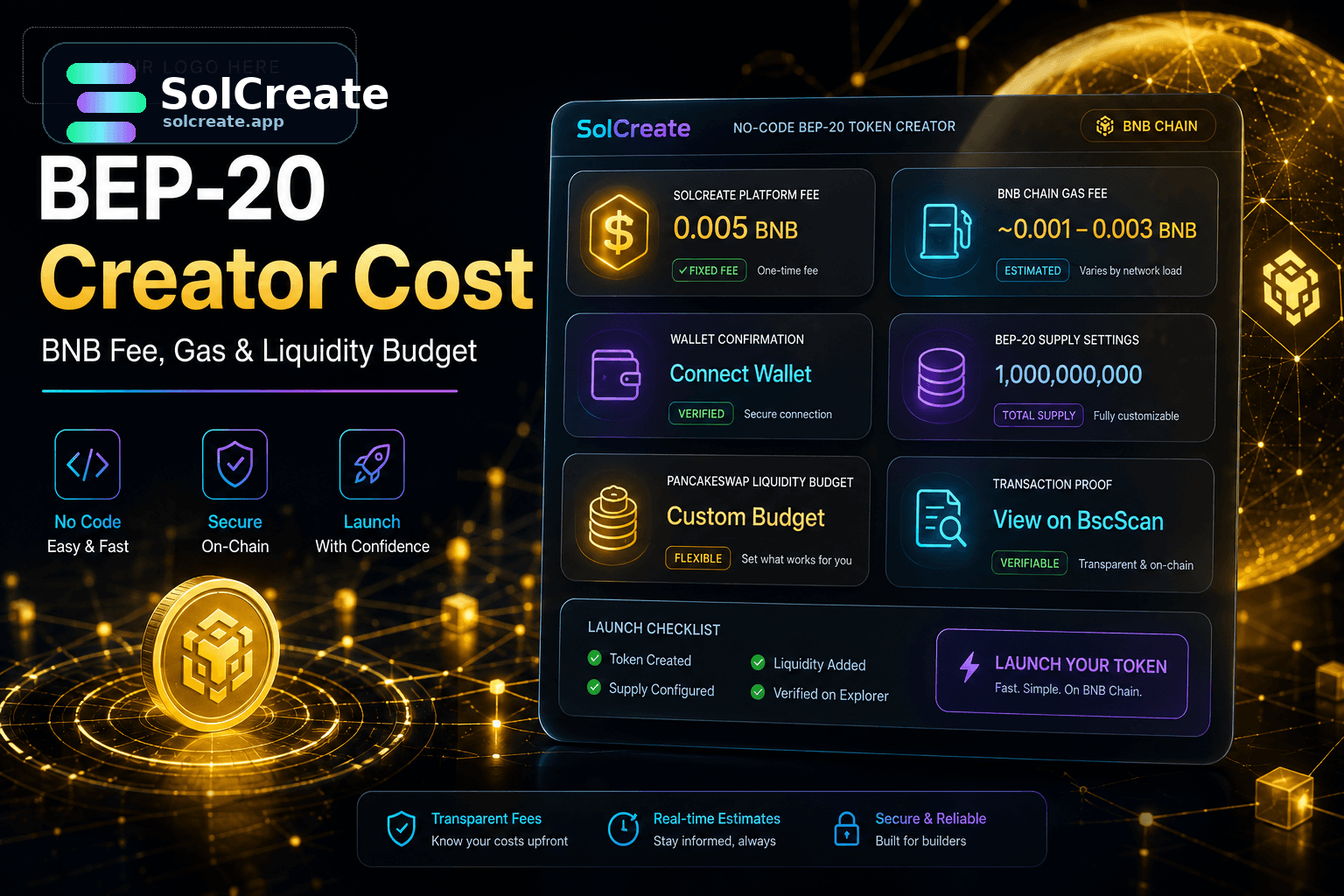
The fixed product fee for the standard guided BEP-20 creator flow. For the current standard BNB creator, that fee is fixed at 0.005 BNB.
 SolCreate
BNB Creator Guide
A BEP-20 token creator can make BNB Chain deployment much easier, but the wallet still needs a realistic budget before the first confirmation.
The creator fee is only one part of the cost. A launch wallet also needs BNB for normal BNB Chain gas, possible retries, test transfers, supply actions, PancakeSwap liquidity, contract review and the first public proof links.
What is the standard SolCreate BEP-20 creator fee?
The standard SolCreate BNB creator flow is currently fixed at 0.005 BNB, separate from network gas.
Is BNB Chain gas included in the creator fee?
No. Gas is paid to the BNB Chain network and can vary by network conditions and wallet actions.
Does token creation include PancakeSwap liquidity?
No. Creating a BEP-20 token creates the contract; PancakeSwap liquidity is a separate launch step.
Should the creator wallet hold extra BNB?
Yes. Keep a buffer for deployment gas, test transfers, possible owner actions, liquidity preparation and verification steps.
Cost buckets
The SolCreate BEP-20 creator fee is the product fee for the guided no-code creation flow. BNB Chain gas is different: it is the network cost for sending transactions, deploying contracts and performing later actions.
This separation matters because it prevents confusion later. A team can explain what went to the product flow, what went to network gas and what was reserved for launch preparation.
The fixed product fee for the standard guided BEP-20 creator flow. For the current standard BNB creator, that fee is fixed at 0.005 BNB.
Network fees for deployment and other wallet-confirmed actions. Gas is paid through the connected wallet and can change with network activity and transaction details.
Transfers, minting, burning, verification steps, owner-role changes and other wallet actions that may happen after the contract exists.
The BNB and token amounts used to seed a pool if the team wants a public market. Liquidity is a separate launch budget, not part of token creation.
Extra BNB for corrections, retries, testing and documentation so the launch does not stall immediately after deployment.
Deployment wallet
The deployment wallet should not be treated as a random trading wallet with just enough BNB for one popup. It needs room for the fixed creator fee, gas, testing and records.
PancakeSwap planning
Creating a BEP-20 token does not make it tradable by itself. If the project wants a public market, the liquidity budget should be planned separately from the creator fee.
Budget plan
Covers: Fixed 0.005 BNB SolCreate BEP-20 creator fee
Why it matters: Keeps product pricing clear before wallet confirmation.
Covers: Deployment and normal transaction gas
Why it matters: Prevents failed or blocked wallet steps.
Covers: Small transfers and verification actions
Why it matters: Helps confirm the token behaves as expected.
Covers: Mint, burn or transfer actions when relevant
Why it matters: Keeps supply changes deliberate and documented.
Covers: Token/BNB pair funding and LP context
Why it matters: Separates token creation from market launch.
Covers: Explorer links, contract address and launch notes
Why it matters: Helps users verify facts instead of trusting screenshots.
After deployment
Cost mistakes
SolCreate workflow
SolCreate is designed to help creators move from idea to token creation and then into launch preparation. A practical sequence starts with token identity, supply and owner-role planning, then wallet funding, creation, transaction records, supply review and liquidity preparation.
The strongest launches do not treat the creator as a shortcut around planning. They use the creator once the budget, settings and next steps are clear.
FAQ
The current standard SolCreate BEP-20 creator fee is fixed at 0.005 BNB. Normal BNB Chain gas is separate and should be budgeted in the connected wallet.
No. The creator fee and network gas are separate. Gas is paid to BNB Chain for wallet-confirmed transactions such as deployment and later actions.
Usually yes. Keep BNB for test transfers, possible supply actions, owner-role changes, contract verification steps, PancakeSwap liquidity preparation and transaction records.
No. Token creation creates the contract. PancakeSwap liquidity is a separate step that requires its own token and BNB allocation, pool planning and public communication.
Not always. A simple project may start with one wallet, but cleaner launches often separate deployment, treasury, liquidity and team allocations so the public wallet story is easier to understand.
Publish the official contract address, explorer link, token name, symbol, decimals, initial supply, owner or minting context, and any planned PancakeSwap liquidity link when it is ready. Avoid price or profit claims.