Step 1
Connect the correct wallet
Start with the wallet that holds both your token and the paired asset. For most launches that means Phantom on Solana or MetaMask on Ethereum, with enough SOL, ETH or stablecoins to seed the pool and cover fees.
 SolCreate
Blog Article
How to Add Liquidity: Complete Guide for Solana & Ethereum Tokens, with a direct path into the SolCreate liquidity tools once you are ready to launch.
Liquidity is one of the most important parts of launching a token. Without liquidity, nobody can trade it on a decentralized exchange, which means the token exists on-chain but does not feel like a real market yet.
This guide explains exactly how to add liquidity, why liquidity pools matter and how to handle the process for both Solana and Ethereum tokens. If you already created a token, you can move directly into the Solana liquidity guide or the Ethereum liquidity guide.
Solana
Raydium-ready
Use SOL plus your token to create a tradable pool quickly.
Ethereum
Uniswap-ready
Use ETH plus your token to activate trading on Ethereum.
Goal
Make it tradable
Liquidity is what turns a deployed token into a market.
What it means
Most liquidity pools work with token pairs such as SOL plus your token, ETH plus your token or USDC plus your token. When you add liquidity, you provide both sides of that pair and the pool uses them to enable decentralized trading.
In return, you usually receive LP tokens or another position asset that represents your share of the pool and gives you the right to remove liquidity later.
You deposit two assets into a pool, such as SOL plus your token or ETH plus your token.
The pool becomes the place where traders swap between the two assets.
You receive LP tokens or another position asset that proves your share of the pool.
Why it matters
A new token has no market price until someone creates a pool. The first ratio you deposit is what establishes the first live price reference traders see on the DEX.
Projects without liquidity usually fail because users can neither buy nor sell the token smoothly. Liquidity is what turns a token launch into a tradable market.
How pools work
Most DEXs rely on an automated market maker. Instead of waiting for a matching buyer and seller, the pool itself holds both assets and uses a formula to adjust the price as traders buy or sell.
Common formula
x * y = k
As one side of the pool is bought, the ratio changes. That automatic ratio change is what moves the price.
This is why the first ratio matters so much. If you start with a weak ratio, the market sees a distorted price immediately. If you start with a realistic pool size and a clear pair, your launch looks more trustworthy from the first trade onward.
It is also why Raydium and Uniswap liquidity setup should be treated as part of the launch itself, not as an afterthought.
Step by step
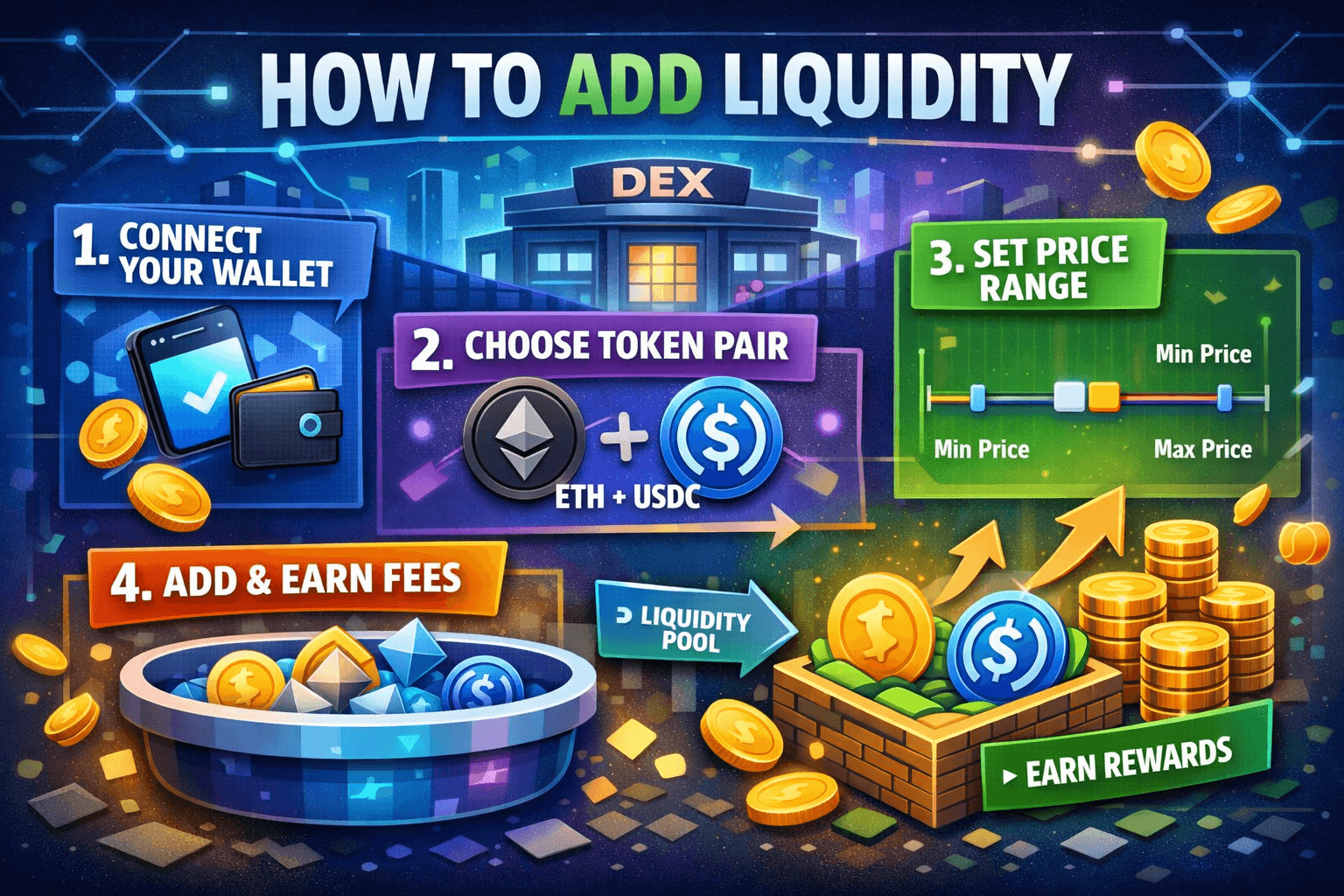
Most creators do not need a complicated DeFi tutorial. They need a safe order of operations: connect the right wallet, choose the pair, set the ratio, review the amounts and confirm.
Step 1
Connect the correct wallet
Start with the wallet that holds both your token and the paired asset. For most launches that means Phantom on Solana or MetaMask on Ethereum, with enough SOL, ETH or stablecoins to seed the pool and cover fees.
Step 2
Choose the liquidity pair
Pick the two assets that will form the market. New launches usually choose SOL plus token on Solana or ETH plus token on Ethereum because those pairs are familiar to traders and easier to understand.
Step 3
Set the initial price through the ratio
The amount of each asset you deposit creates the starting market price. If you pair 1 SOL with 1,000,000 tokens, that ratio becomes the first live pricing reference traders see.
Step 4
Enter the deposit amounts
Input the amount of your token and the amount of the paired asset. The DEX or guided liquidity tool will usually calculate the matching side automatically based on the ratio you choose.
Step 5
Review and confirm the wallet transaction
Before signing, check the pool, the token amounts and the expected LP position. Once the transaction confirms on-chain, the pool goes live and your token becomes tradable.
Solana vs Ethereum
Solana liquidity
Ethereum liquidity
Guided no-code route
LP tokens and risk
LP tokens represent your share of the pool. If the pool grows and generates fees, you share in those fees according to the size of your position.
But LP positions also carry risk. If one asset moves sharply in price, the ratio inside the pool changes, which can leave you with a different mix of assets when you withdraw later.
Impermanent loss
This happens when the relative price between the two pooled assets changes. You may withdraw fewer of one asset and more of the other compared with simply holding both outside the pool.
Common mistakes
Avoid these mistakes when you add liquidity
Related tools
The next best pages after this guide
Read Solana liquidity guide
Move into the Raydium-focused route if your token is launching on Solana.
Read Ethereum liquidity guide
Use the Uniswap-focused route if you are launching an ERC-20 token.
LP Withdrawal Guide
Understand the second half of the LP lifecycle before you need to withdraw.
Read Solana LP lock guide
See how LP locking differs from simply keeping LP tokens in the wallet.
Read Ethereum LP lock guide
Understand how Ethereum LP locking fits into trust and launch fit.
Open Solana token creator
Create the token first if you have not launched it yet.
Read Ethereum creator guide
Compare the ERC-20 route before you move into the pool setup.
Read LP burn guide
See how LP burn differs from add liquidity, lock LP and remove liquidity.
FAQ
What does adding liquidity mean in crypto?
Adding liquidity means depositing two assets into a decentralized exchange pool so traders can swap between them. That pool becomes the market for the token pair.
Do I need liquidity to launch a token?
If you want people to trade the token on a DEX, yes. Without liquidity, the token exists on-chain but has no real market path for buyers and sellers.
How much liquidity should I add?
It depends on your launch strategy, but the key is providing enough depth to support early trading without huge price impact. Tiny pools often create volatility and poor first impressions.
What are LP tokens?
LP tokens are the proof that you provided liquidity. They represent your share of the pool and can later be used to remove liquidity and withdraw the underlying assets.
Can I remove liquidity later?
Yes, as long as the liquidity is not locked and you still control the LP position. Removing liquidity burns or redeems the LP position and returns the assets to your wallet.
Is adding liquidity risky?
Yes. Impermanent loss, wrong price ratios and low-liquidity volatility are real risks. That is why it is important to review the pair, the ratio and the long-term plan before confirming the pool.
What is impermanent loss?
Impermanent loss happens when the price relationship between the two pooled assets changes. When you later withdraw, the asset mix you receive can differ from simply holding each asset outside the pool.
What is the easiest way to add liquidity?
For most creators, the easiest route is a guided DEX or no-code liquidity tool that helps with wallet connection, pair selection, price ratio checks and the final confirmation flow.
Author
Written by the SolCreate editorial team
This guide was prepared by the SolCreate editorial team with a focus on practical launch education, beginner-friendly liquidity explanations and affordable no-code workflows across Solana and Ethereum.
If you want to get in touch about the article, partnerships or the wider launch stack, you can reach out through the contact page.
Final CTA
Want the fastest route from token creation to a tradable market?
The easiest launch flow is still the one that lets you create the token, choose the liquidity pair and move into a guided pool setup without touching raw contract tooling.
If your token is ready, go straight into the live liquidity tools and make it tradable now.