 SolCreate
Mint Authority Checker
Solana Mint Authority Checker for SPL Token Supply Risk
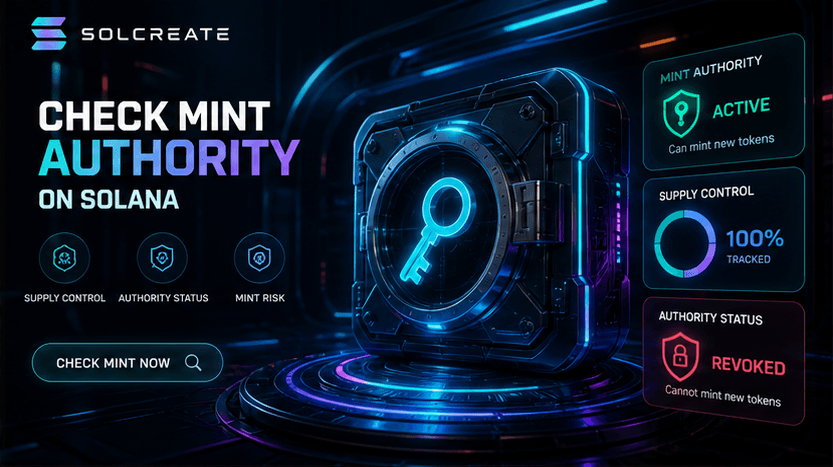
Mint authority is one of the most important fields to review before trusting an SPL token. SolCreate explains whether mint authority appears active and why that matters for future supply risk.
Supply control
If mint authority remains active, additional tokens may be created depending on who controls the authority and how the token is configured.
Launch trust
Public token launches should explain authority choices clearly so buyers and community members understand future supply control.
Report context
SolCreate combines mint authority with holders, shared funders, creator history and liquidity so supply risk is not reviewed in isolation.
What this page covers
This page expands on solana mint authority checker for spl token supply risk with more context than the live tool screens. It is meant to answer common questions, improve trust and give users a clearer understanding of how the SolCreate product is structured.
Solana Mint Authority Checker for SPL Token Supply Risk uses this mint authority checker context to bridge education and action before visitors open run scanner.
Related paths inside SolCreate
Mint Authority Checker readers can continue via Run Scanner or move into Solana Creator.
Mint Authority Checker links point readers toward run scanner and solana creator while keeping the route connected to SolCreate's wider launch, research and post-deployment workflows.
Why mint authority matters
On Solana, mint authority is the capability that can allow more tokens to be minted for a specific SPL mint. For private tests, games, rewards and controlled products, keeping authority may be intentional. For public meme coins or tradable community tokens, active mint authority can be a serious trust question because supply may change after users buy.
A mint authority checker should not only say active or inactive. It should explain why users should care. If the authority is active, users need to understand who controls it, whether the project has disclosed that control and how future supply could affect existing holders.
- Active mint authority can indicate future supply may be possible.
- Removed mint authority can reduce supply-change risk but does not prove the token is safe.
- Supply risk should be read beside holder concentration and liquidity depth.
- Unknown authority data should be treated as missing coverage, not as a clean pass.
How SolCreate reports supply risk
The SolCreate scanner loads the SPL mint account and reports the authority context in plain English. If mint authority is active, the report elevates that finding so users can review it before making a decision. If the data cannot be loaded, the scanner marks the category as unknown instead of hiding the uncertainty.
Mint authority is only one part of the story. A token with removed mint authority may still have risky holder distribution, linked launch wallets or thin liquidity. That is why SolCreate combines supply checks with holder-cluster and market checks in the same scanner flow.
- Run Open Scanner when an SPL mint needs a live supply-control and wallet-cluster report.
- Prepare launches through Token Creator after deciding how mint authority should be handled.
- Repeat mint-authority checks at Open Scanner whenever the token state needs another review.
FAQ
Frequently asked questions
Is active mint authority always bad?
No. Some projects need minting for utility, rewards or controlled issuance. For public tradable tokens, it should be clearly explained.
Does removed mint authority guarantee safety?
No. Removed mint authority can reduce one supply risk, but holders, funders, liquidity and creator behavior still matter.
Can SolCreate change my token authority?
This page is about scanning risk. SolCreate creator and management tools are separate wallet-confirmed flows.
What should I do if mint authority is active?
Review who controls the authority, whether the project disclosed it and whether other risk signals appear in the report.
Share
Share this page
If this page is useful, you can share it directly to social platforms or send the link to your team, community or launch group.