 SolCreate
Polygon Token Creator
Polygon Token Creator for fast, no-code ERC-20 launches
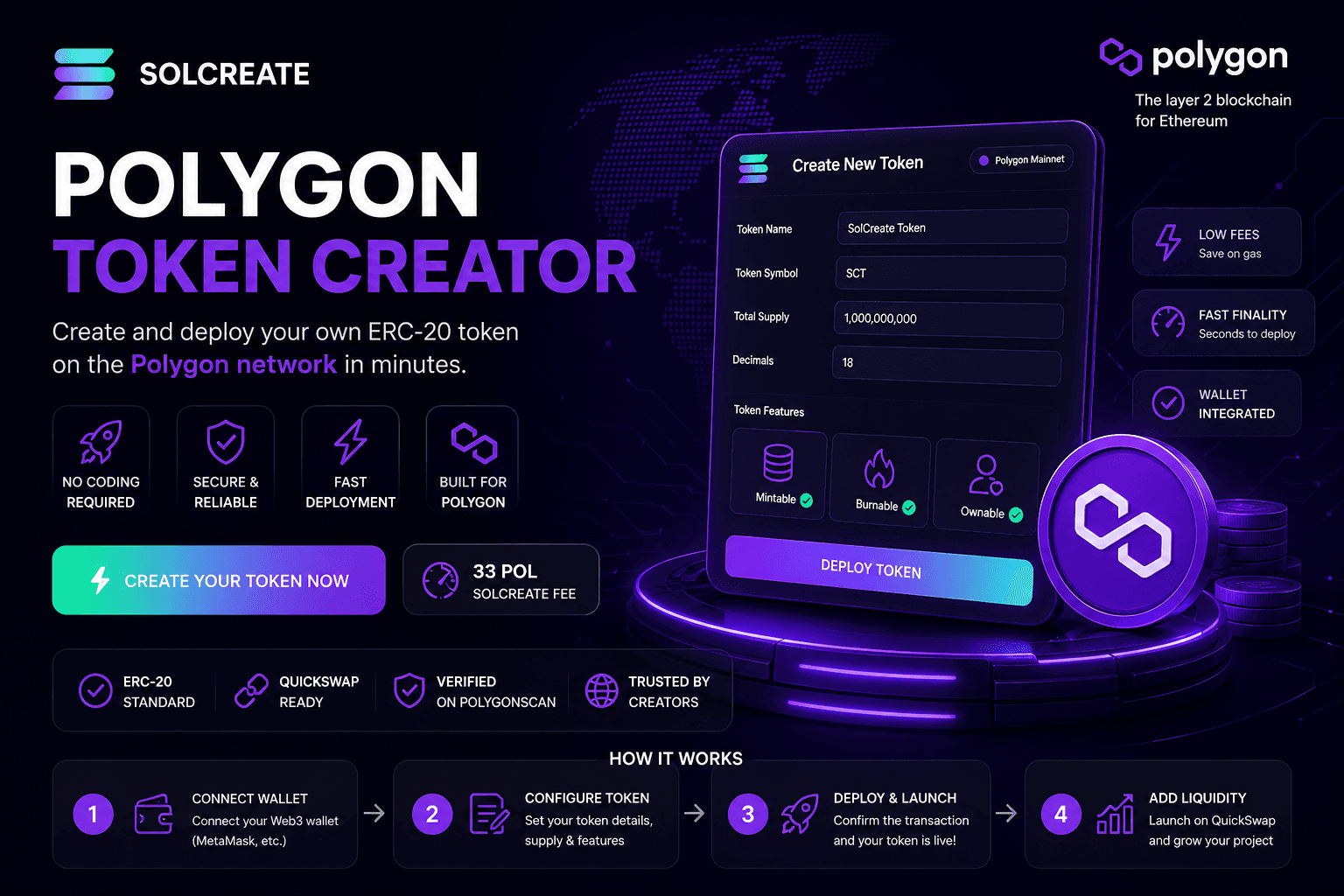
Create your own ERC-20 token on Polygon with SolCreate. Set the token name, symbol, supply, decimals and owner controls in a guided wallet flow without writing Solidity, hiring a developer or deploying a contract manually.
Transparent SolCreate fee
Polygon Token Creator pricing is visible before wallet confirmation
SolCreate is built for affordable token launches: the Polygon Token Creator uses a fixed 33 POL SolCreate fee, shown before the wallet step, while Polygon gas stays separate so builders can budget clearly before signing.
The wallet can still show normal network costs, liquidity costs or optional post-launch tool costs separately.
SolCreate fee
33 POL
network gas stays separate
33 POL
SolCreate fee
Fixed, visible product fee. Polygon gas stays separate in the wallet.
No-code Polygon ERC-20 launch
Deploy a Polygon ERC-20 token through a guided wallet flow instead of writing Solidity or compiling contracts by hand.
SolCreate fee: 33 POL
The creator fee is fixed and easy to understand. Polygon network gas and optional DEX costs are shown separately in your wallet.
QuickSwap-ready launch path
After deployment, continue into Polygon liquidity, mint and burn tools from the same SolCreate launch stack.
Create a Polygon token without writing Solidity
Launching a token on Polygon should be simple, fast and easy to understand. SolCreate removes the need to write Solidity code, configure developer tools or manually compile a smart contract.
You start with the launch details that matter: token name, ticker symbol, initial supply, decimals, ownership settings and the next steps after deployment.
Why Polygon fits practical token launches
Polygon is useful for community tokens, DeFi ideas, GameFi projects, reward systems, utility tokens, internal test tokens and early-stage Web3 products.
Polygon PoS supports Ethereum-style contracts and EVM-compatible tooling, while the network now uses POL for gas. For technical background, see the official Polygon documentation.
How it works
Step 1
Connect your Polygon wallet
Connect MetaMask or another Polygon-compatible Web3 wallet. Make sure it is on Polygon mainnet and has enough POL for gas and the SolCreate fee.
Step 2
Enter token details
Add the token name, symbol, supply, decimals and authority settings. Review everything carefully because core details are usually not editable after deployment.
Step 3
Review fee and gas
SolCreate shows the fixed 33 POL platform fee clearly. Your wallet shows Polygon network gas separately before you sign.
Step 4
Deploy your ERC-20 token
Confirm the deployment transaction from your wallet. Once the transaction is processed, your Polygon ERC-20 token is live on-chain.
Step 5
Continue with QuickSwap liquidity
After token creation, move directly into QuickSwap liquidity, minting or burning depending on your project plan and token settings.
Why use SolCreate
Clear 33 POL SolCreate fee
The SolCreate creator fee is fixed at 33 POL. Normal Polygon gas and optional DEX costs are paid separately through your connected wallet.
Guided wallet deployment
Connect a Polygon-compatible wallet, enter your token settings, review the transaction and confirm deployment without manual contract tooling.
Built around Polygon launch needs
A Polygon launch needs POL gas, ERC-20 behavior, PolygonScan visibility and QuickSwap liquidity. SolCreate keeps those next steps close together.
Creator tools plus launch tools
SolCreate connects token creation with related Polygon actions such as adding liquidity, minting compatible tokens and burning supply.
Token settings without the clutter
The SolCreate Polygon Token Creator keeps the important choices in one guided flow: token name, symbol, initial supply, decimals, owner controls, minting behavior and wallet confirmation.
That gives founders and communities flexibility without turning the process into a manual developer task. You understand the launch shape first, then approve the actual on-chain transaction in your wallet.
More complete than a token generator
A basic token generator usually stops after deployment. SolCreate is built around the full Polygon launch path: ERC-20 creation, clear POL fee messaging, QuickSwap liquidity, mint tools and burn tools for compatible tokens.
That matters because most launches need more than a contract address. They need a clean handoff from creation to market preparation without sending users through disconnected tools.
Built for real Polygon launch ideas
Polygon ERC-20 tokens can support community tokens, DeFi experiments, GameFi assets, NFT economies, reward systems, loyalty programs, utility tokens and early-stage Web3 products.
For Polygon teams, SolCreate removes the ERC-20 deployment setup work so more time can go into QuickSwap planning, project documentation and community launch preparation.
Launch carefully, not blindly
Before creating a token, confirm the name, symbol, supply and authority choices. Decide whether minting should remain possible, whether burning is part of the plan and how liquidity will be handled.
For public launches, avoid promising profits or guaranteed returns. Explain what the token does, who controls the contract, how supply works and where users can verify the token after deployment.
Polygon Token Creator versus post-creation tools
The Polygon Token Creator is the first-deployment page for creating a Polygon ERC-20 token. It should answer how to create Polygon token contracts, what token settings to prepare and how the wallet-confirmed deployment fits into the launch plan.
After deployment, the route changes. Polygon Mint is for increasing compatible existing supply, Polygon Burn is for reducing wallet-held supply, and Polygon Liquidity is for QuickSwap pool preparation. Separating those pages gives builders a cleaner launch path and avoids mixing creator decisions with later operational updates.
- Creator: name, symbol, decimals, initial supply, owner wallet and first transaction.
- Mint: recipient, amount, mint authority and public supply-change note.
- Burn: token balance, burn amount, decimals and irreversible supply-reduction note.
- Liquidity: token address, pair choice, approvals and QuickSwap context.
Why Polygon is strong for token creation
Polygon combines Ethereum-style development with lower-cost execution and broad wallet compatibility. The Polygon documentation is the best source for the current network details, including POL and Polygon PoS behavior.
For launch planning, QuickSwap is a common Polygon liquidity route. The QuickSwap documentation explains liquidity concepts and helps users understand what happens after a token is deployed.
Polygon launch comparison
A Polygon token launch should explain POL gas, PolygonScan visibility, ERC-20 compatibility on Polygon PoS and the QuickSwap handoff after deployment.
SolCreate keeps Polygon copy separate from BNB and Avalanche copy because a creator choosing Polygon often cares about low-cost EVM transfers, familiar wallets and Polygon-native liquidity routes rather than PancakeSwap or AVAX-specific launch steps.
- POL fee language and Polygon PoS wallet setup.
- QuickSwap liquidity context for the post-creation route.
- PolygonScan and ERC-20 compatibility explained together.
Polygon creator route map
Choose the SolCreate route that matches the exact Polygon wallet action before signing.
Builder task
Best SolCreate route
Create a new Polygon ERC-20 token
Polygon Token Creator First deployment with token identity, supply, decimals and owner-wallet review.
Open the final wallet-confirmed deployment screen
Live Polygon ERC-20 Deployment App Execution route after the creator plan is ready.
Prepare QuickSwap liquidity
Polygon Liquidity Tool Pool and pair planning after the token address exists.
Increase compatible existing supply
Polygon Mint Tool Post-creation supply action when mint authority is still available.
Reduce wallet-held supply
Polygon Burn Tool Documented supply-reduction action for an existing token.
Next launch steps
Continue from Polygon Token Creator for fast, no-code ERC-20 launches into the most relevant SolCreate route for this user need. The next-step links below connect Create Your Polygon Token with Create Your Polygon Token, Add Polygon Liquidity, Mint Polygon Tokens, so visitors can move from research to a chain-specific action without landing on a generic launch checklist.
FAQ
Frequently asked questions
What is a Polygon Token Creator?
A Polygon Token Creator is a tool that helps users create ERC-20 tokens on Polygon without manually writing or deploying Solidity code. SolCreate guides you through token details, wallet confirmation, fee review and launch next steps.
Can I create a Polygon token without coding?
Yes. SolCreate lets you create a Polygon ERC-20 token through a no-code flow. You enter token details, connect your wallet, review the transaction and confirm deployment.
How much does SolCreate charge to create a Polygon token?
The SolCreate creator fee for the Polygon Token Creator is 33 POL. Polygon network gas and optional DEX costs are separate and shown by your wallet before signing.
Do I need POL or MATIC to create a Polygon token?
You should use POL on Polygon PoS. Some older wallet settings may still show MATIC wording, but SolCreate uses current POL fee language.
Is the token created on Polygon ERC-20 compatible?
Yes. Polygon supports Ethereum-style smart contracts and EVM-compatible tooling, so fungible tokens on Polygon commonly use the ERC-20 format.
Can I add QuickSwap liquidity after creating my token?
Yes. SolCreate connects the Polygon token creation path with QuickSwap liquidity next steps, helping you move from deployment to launch preparation faster.
Can I mint more Polygon tokens later?
Yes, if your token settings allow minting and the required authority is retained. If minting is disabled or authority is removed, you may not be able to create more tokens later.
Can I burn Polygon tokens after launch?
Yes, if your token supports burning. Burning can reduce token supply depending on your configuration and wallet permissions.
Can I change my token name or symbol after deployment?
Usually, core token details such as name, symbol, decimals and initial contract structure are not editable after deployment. Review all settings carefully before signing.
Does creating a token automatically list it on exchanges?
No. Token creation does not automatically list your token on DEXs, CoinMarketCap, CoinGecko or centralized exchanges. You may need liquidity, trading activity, documentation and separate listing applications.
Is SolCreate financial or legal advice?
No. SolCreate is a token creation and launch tool. Review your own legal, tax, compliance and project requirements before launching or promoting a token.
What should I review before choosing Polygon for a token launch?
Review POL gas, PolygonScan visibility, QuickSwap liquidity options, wallet support, ERC-20 compatibility and whether your users already operate on Polygon PoS.
Create your Polygon token with SolCreate
Launch an ERC-20 token on Polygon with a clear, guided workflow. Set your token details, review the fixed 33 POL SolCreate fee, confirm the transaction in your wallet and continue into QuickSwap liquidity, minting or burning tools.
Share
Share this page
If this page is useful, you can share it directly to social platforms or send the link to your team, community or launch group.