SolCreateSolCreate
Home/Blog/Solana Token Creator Features

Solana Creator Guide

Solana Token Creator Features to Compare Before You Mint

Choosing a Solana token creator should not start with the first button that says create token. A no-code SPL token tool still asks you to make real launch decisions.

Compare wallet flow, metadata, supply, authority settings, launch budget and post-mint review before connecting a wallet.

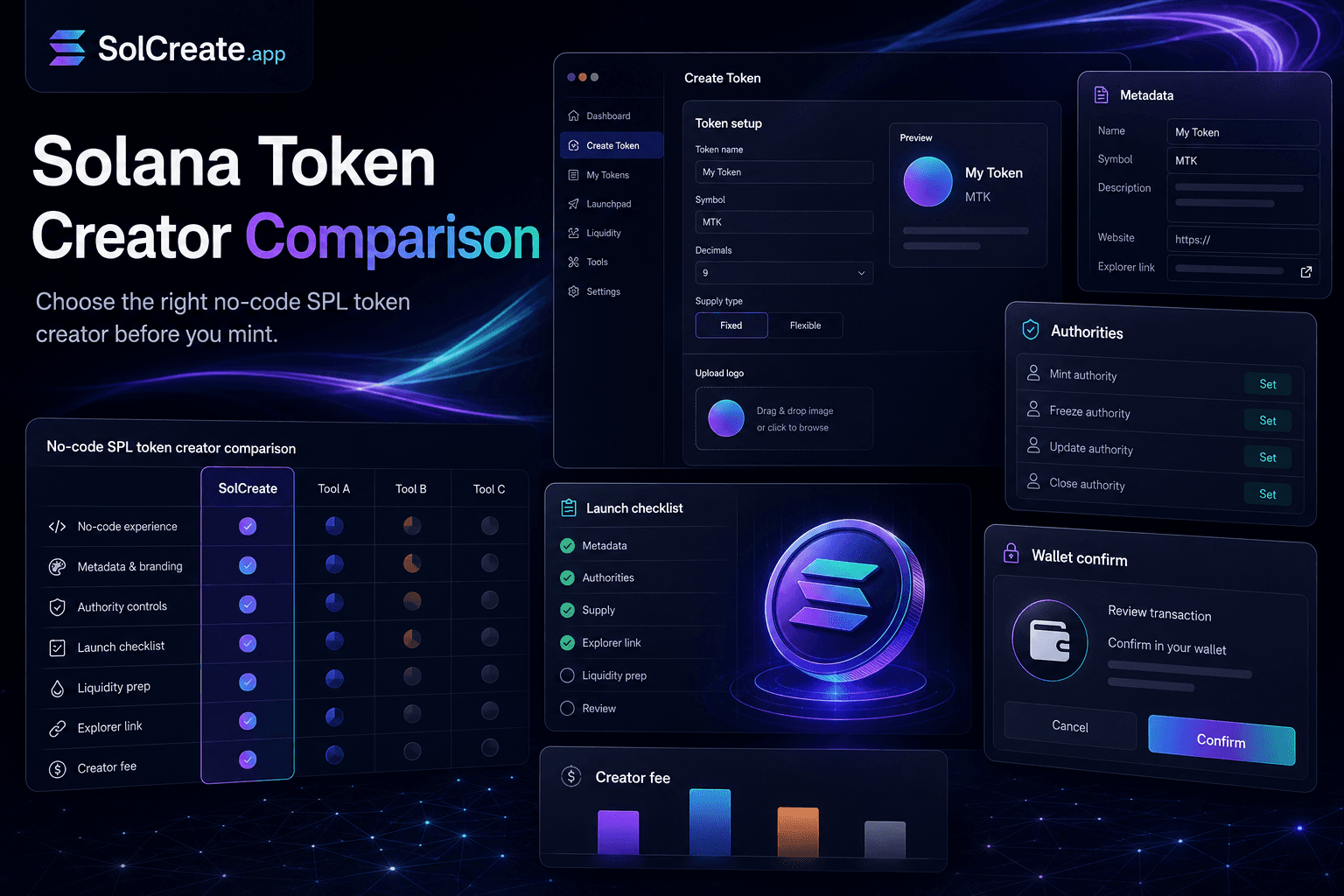
SolCreate blog hero for comparing Solana token creator features before minting, with metadata, authority, wallet confirmation, launch checklist and creator fee panels

What should I compare first?

Compare the creator fee, wallet flow, SPL metadata fields, supply controls, authority options and post-mint links.

Is the cheapest tool always best?

Not necessarily. A lower visible fee can still be confusing if metadata, authority settings, support pages or launch context are weak.

Do I need coding experience?

No-code tools can create standard SPL tokens without writing a smart contract, but you still need to understand the settings you approve.

Which Solana settings matter most?

Token name, symbol, decimals, supply, mint authority, freeze authority, update authority and metadata/logo handling.

Feature comparison

What to compare before minting an SPL token

1

Compare the full wallet flow

A good Solana token creator should make the wallet flow predictable. Before you mint, check whether the tool explains what will happen when you connect a wallet, what transaction you are about to approve and what result you should expect after confirmation.

Look for clarity around which wallet pays fees, which wallet receives the initial supply, which token settings are included in the transaction, whether the mint address is shown after creation and whether an explorer link is available.

Wallet confirmation is the point where planning becomes irreversible. If the creator UI is vague before the signature, beginners may approve settings they do not fully understand.

2

Compare the real cost, not only the headline fee

Many creators compare tools by price first. That is reasonable, but the better comparison is the total launch budget around the token creation step.

A practical Solana token creator cost can include the tool fee, normal Solana network costs, wallet funding buffer, token metadata preparation, later liquidity costs, LP lock or liquidity management steps, distribution actions and follow-up authority or metadata updates.

A fixed creator fee is useful because it reduces uncertainty, but it does not replace launch planning. A team that mints a token with an empty wallet, no liquidity plan and no distribution checklist can still run into problems even if the mint itself was cheap.

3

Compare SPL metadata handling

Metadata is one of the first public signals users notice. A token can be technically created but still look unfinished if the name, symbol, logo, description or URI are inconsistent across wallets, explorers and project announcements.

Before using a no-code creator, compare how it handles token name, ticker, logo preparation, metadata URI, description fields, update authority expectations and preview before wallet confirmation.

A practical creator flow should make metadata feel like part of the launch plan, not a hidden technical detail.

4

Compare supply, decimals and recipient controls

Supply settings are simple to type and hard to explain after launch if they were chosen carelessly. Compare whether the tool makes you think through total initial supply, decimals, who receives the supply and whether more tokens can be minted later.

For many Solana launches, the decimals setting is not a marketing decision. It affects how balances display in wallets and how the token feels to users.

The creator should give you enough context to avoid accidental settings. It should not push you through supply creation as if every project has the same tokenomics.

5

Compare mint authority and freeze authority options

Mint authority and freeze authority are two of the most important SPL review signals. They are also two of the easiest settings for beginners to ignore.

Mint authority controls whether additional tokens can be created later. Freeze authority can allow token accounts to be frozen, depending on how the token is configured. These settings can be legitimate in some project phases, but they need to match the project’s public explanation.

A responsible creator should help users understand authority choices without pretending every token needs the same answer.

6

Compare what happens immediately after creation

The mint transaction is not the end of the launch workflow. It is the start of the public review phase.

A strong Solana token creator should help you continue into mint-address verification, explorer review, metadata display checks, authority review, liquidity planning, holder distribution planning and scanner review.

If a tool only creates the token and then leaves you with no next step, beginners may start promoting before they have checked what the chain actually shows.

7

Compare internal education and support content

No-code does not mean no decisions. A beginner-friendly creator should provide useful education around the settings that matter.

Check whether the site has practical guides for creating a Solana token without coding, metadata preparation, mint versus freeze authority, wallet budget, liquidity planning, LP locks, holder distribution, multisender workflows and scanner review.

The strongest creator sites do not hide complexity. They make the complexity manageable.

8

Compare whether the tool avoids hype

Token creation tools should not promise price movement, guaranteed safety or guaranteed launch success. Those claims are not useful for serious builders.

Be cautious with creator pages that lean too heavily on moon language, profit promises, fake trust badges, vague security guarantees or pressure to mint before understanding settings.

A better tool should explain what it can do and what it cannot do. It can help you create an SPL token, but it cannot guarantee market demand, liquidity depth, buyer trust or future token performance.

9

Compare scanner and review context

After creation, users, moderators and token buyers may inspect the mint address. They may look at authority settings, metadata consistency, holder distribution, liquidity context and wallet behavior.

A creator tool is stronger when it connects minting with review context. That does not mean every scanner result becomes perfect. It means the team can understand what will be visible and prepare better explanations.

The token does not only need to exist. It needs to be understandable when people check it.

Practical checklist

A Solana token creator comparison checklist

  • The creator fee is clear before wallet connection.
  • The wallet confirmation flow explains what you are approving.
  • SPL metadata fields are visible and reviewable.
  • Supply and decimals are explained in plain language.
  • Mint authority and freeze authority are separated clearly.
  • The tool provides a mint address and explorer path after creation.
  • The site links to launch planning, liquidity, metadata and authority guides.
  • The workflow avoids profit promises and fake safety language.
  • Scanner or review context is available after minting.
  • The tool supports the launch path you actually need, not just the mint transaction.

Where SolCreate fits

Use token creation as one step in a clearer launch workflow

SolCreate is built for builders who want a no-code Solana token creator with practical launch context around it. The core workflow helps teams create an SPL token, prepare metadata, review authority decisions, plan liquidity, use launch tools and check review signals after creation.

That does not remove the builder’s responsibility. You still need to choose supply, explain authority settings, prepare official links and communicate clearly with your community. But the right tool can make those decisions easier to organize.

FAQ

Solana token creator comparison questions

What is the most important Solana token creator feature to compare?

The wallet confirmation flow is one of the most important features because it is where settings become an on-chain action. A good creator should explain the fee, token settings, recipient wallet and expected result before you approve the transaction.

Should I choose a Solana token creator only by price?

No. Price matters, but it should be compared with metadata handling, authority settings, support content, post-mint links, liquidity planning and scanner review context. A cheap mint can still create confusion if the launch workflow is weak.

What Solana token settings should beginners understand first?

Beginners should understand token name, symbol, decimals, supply, mint authority, freeze authority, metadata/update authority and the wallet that receives the initial supply. These settings affect how the token appears and how users may review it.

Why do mint authority and freeze authority matter?

Mint authority can allow additional tokens to be created later. Freeze authority can allow token accounts to be frozen, depending on the configuration. Both can be legitimate in some contexts, but users and scanners may treat them as important review signals.

Does a no-code SPL token creator guarantee a successful launch?

No. A no-code creator can simplify token creation, but it cannot guarantee demand, liquidity, trust or future price movement. Builders still need launch planning, clear communication, liquidity context and responsible authority decisions.

What should I do after creating a Solana token?

Save the mint address, check the explorer link, confirm metadata display, review authority settings, plan liquidity, prepare official launch notes and scan the token so your team understands public review signals before heavy promotion.